
Create Credit Note
When a credit note is created, Loyalista reverses the points transactions associated with the affected items: points earned from the order are cancelled accordingly, while points that were originally redeemed are credited back to the customer's points balance. For this to take effect, credit notes must be transmitted to Loyalista. For automated credit note setup, refer to our Plugin Setup guide, and for manual transmission, see our best practice Send Orders & Credit Notes Manually to Loyalista.
Reversing points transactions also works when transmitting returns or warranty claims. You can adapt this to your internal workflows. In practice, transmitting credit notes is the most reliable method, which is why this best practice focuses on credit notes.
For detailed information on creating credit notes in PlentyONE, refer to the PlentyONE manual. The following instructions focus specifically on considerations relevant to Loyalista.
1. Create a Credit Note for All Order Items
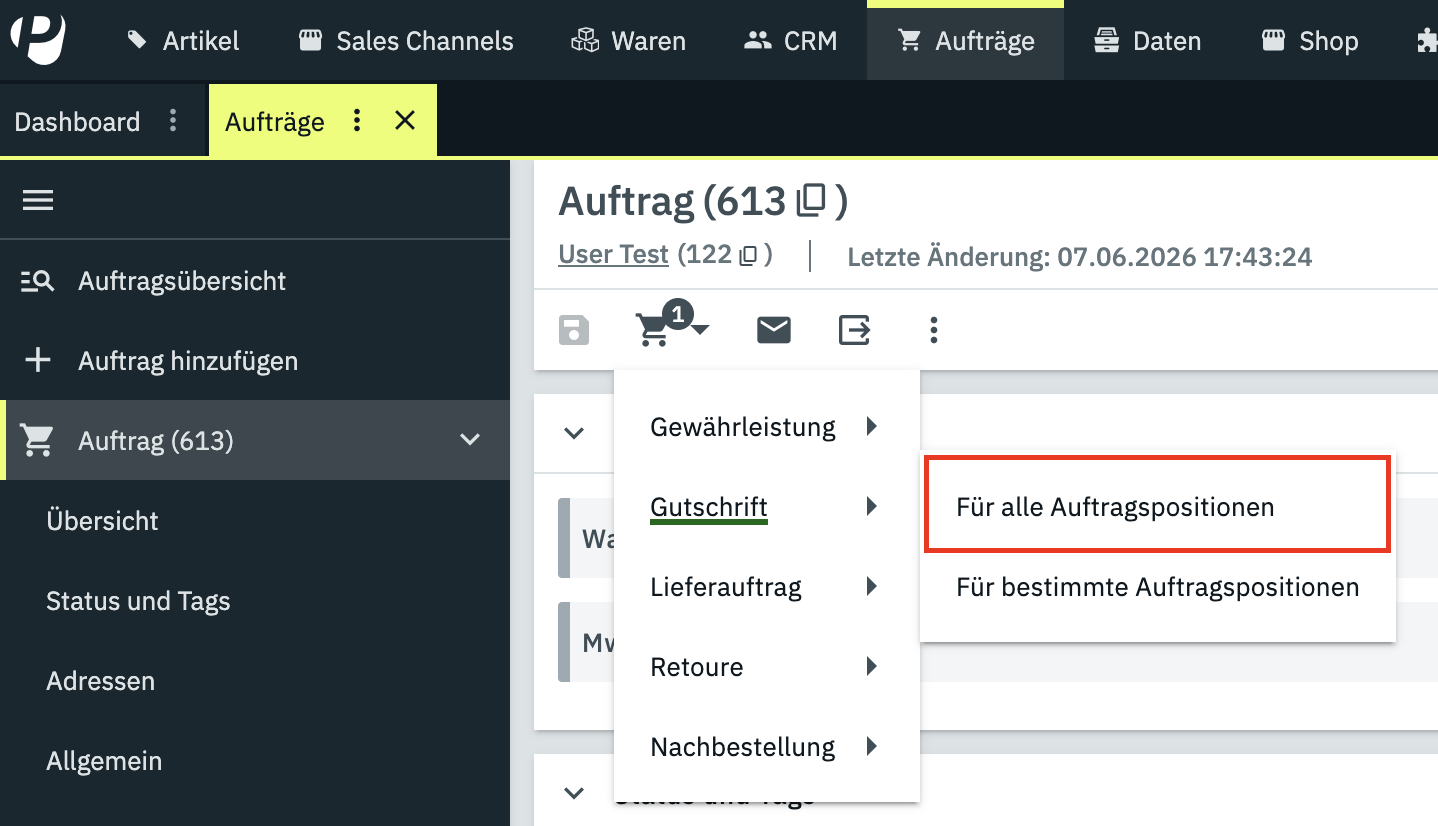
Credit notes created for all order items (Figure 1) are straightforward: no additional manual adjustments are required for Loyalista.
When an order is credited in full, the points earned from the order are cancelled. If points were redeemed in the original order and the corresponding Loyalista voucher item is included in the credit note, those points are also credited back to the customer's points balance.
2. Create a Credit Note for Specific Order Items
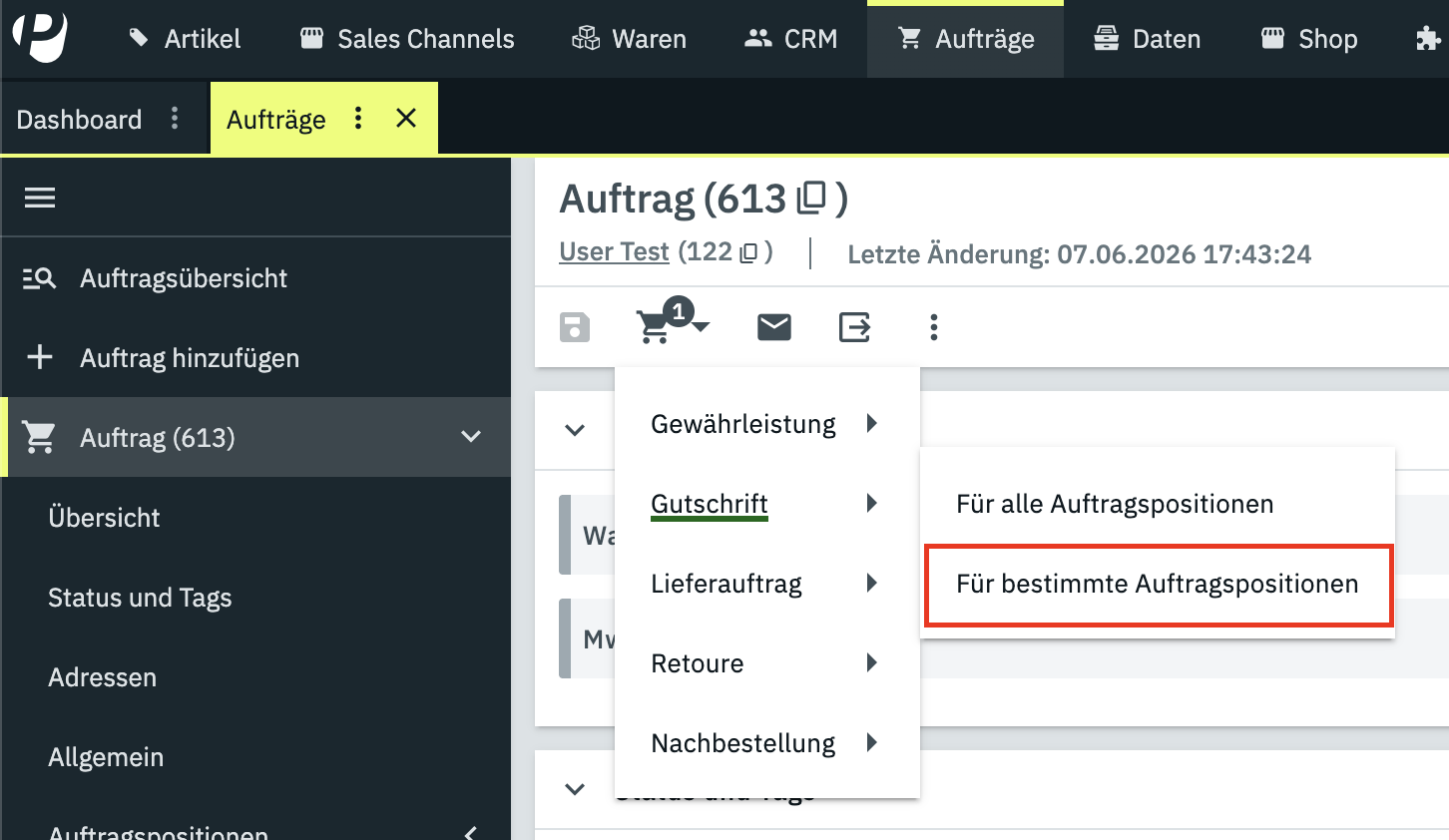
When creating credit notes for specific order items (Figure 2), distinguish whether points were only earned on the original order or whether points were also redeemed. If points were redeemed, you must additionally decide whether and to what extent the Loyalista voucher item should be included in the credit note.
For partial credit notes, the points earned for the affected items are cancelled accordingly. A Loyalista voucher item used in the original order can also be credited either in full or partially. This allows points that were originally redeemed to be credited back to the customer either in full or proportionally.
a. Orders Without Redeemed Points
If points were only earned in the original order, no special adjustments are required. You can identify these orders by the absence of a voucher code generated by the Loyalista plugin. For a partial credit note, the points earned for the credited items are cancelled accordingly.
b. Orders Paid Fully with Points
If the original order was paid entirely with points, you can identify this by the presence of a voucher code generated by the Loyalista plugin and an order payment status of 100 % even though no external payment was assigned.
For the originally redeemed points to be credited back to the customer's points balance, the voucher item generated by the Loyalista plugin must be included in the credit note. For a partial credit note, the voucher item can also be credited proportionally. Loyalista will then only return the corresponding share of the points originally redeemed.
c. Orders Paid Partially with Points
If an order was paid partially with money and partially with points, you can identify this by the presence of a Loyalista voucher code in combination with an actual monetary payment.
Define in your store policies whether monetary refunds or the return of redeemed points should take precedence for partial credit notes. The Loyalista voucher item can be included in a credit note either in full or proportionally. This allows you to control exactly what share of the originally redeemed points is credited back to the customer.
i. Primary Repayment of the Monetary Amount
In this case, the Loyalista voucher item is only included in the credit note once the amount to be credited exceeds the amount originally paid with money. The value of the voucher item is adjusted accordingly so that the total credit note amount is correct.
ii. Primary Repayment of Redeemed Points
In this case, the Loyalista voucher item is included starting with the first partial credit note. The value of the voucher item initially corresponds to the amount being credited and is limited to the amount originally paid with points. If the credit note exceeds this amount, the remaining amount is refunded as money.
Was this article helpful?
Let us know your feedback to help us improve our articles.