
Create Account & Select Billing Method
In this guide, you will learn how to create a Loyalista user account, select a product package, and start your subscription. You will also get an overview of the available product packages and billing intervals.
Create a User Account
There are two ways to create a new Loyalista user account: The easiest way is to use our registration form directly (Figure 1). Alternatively, you can start the registration process via the pricing table on our website.
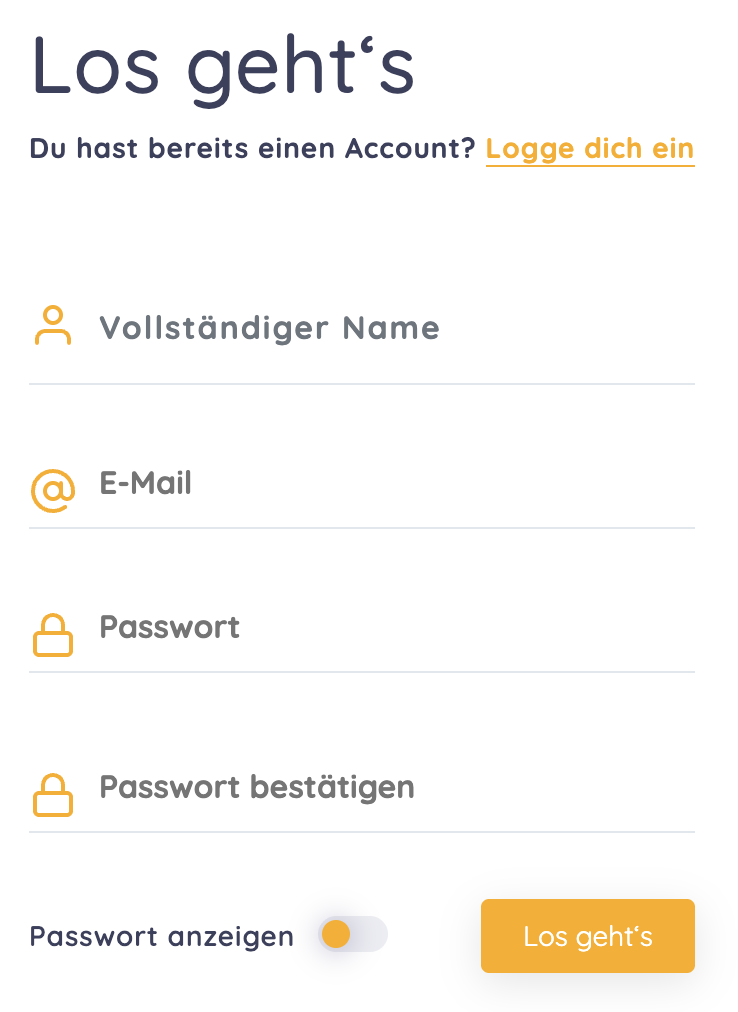
In the registration form, enter your name, email address, and a password. Then continue with the remaining registration steps.
During the registration process, you will be asked to accept the Terms and Conditions and the Data Processing Agreement (DPA). The DPA governs the processing of personal data that Loyalista processes on your behalf, such as customer data from your shop.
You will also be informed about the Privacy Policy and can decide whether you would like to receive marketing emails from Loyalista.
What happens next depends on how you started the registration process:
- If you started the registration directly via the pricing table on the Loyalista website, you will be redirected to the checkout after registration.
- If you used the general registration form, you will first select your desired product package.
Select a Product Package & Checkout
If you are not redirected directly to the checkout, first select your desired product package (Figure 2).
You can choose between monthly and annual billing. With annual billing, you can benefit from a discount of up to 20 %, depending on the selected product package.

Click Subscribe Now for the desired product package to proceed to the checkout (Figure 3).
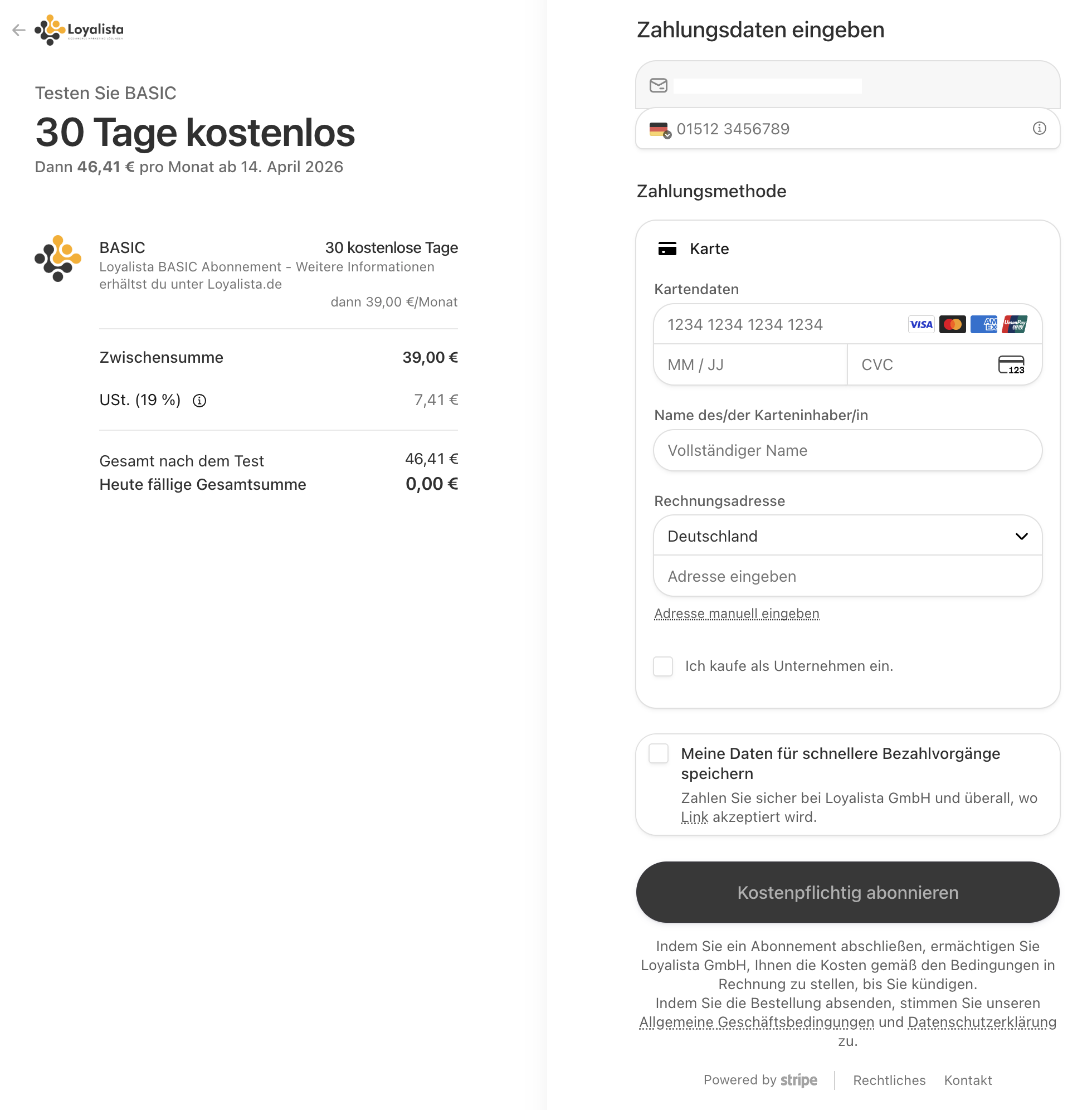
In the checkout, you can see your selected product package, the free trial period, and the costs that will apply afterwards. Then enter your payment and billing information.
For business customers, we recommend providing the company name and VAT identification number so that these details appear correctly on your invoices. If your company is located outside Germany, a valid VAT identification number may be required for correct tax processing.
After you have entered all required information, complete the checkout process. Your payment details will be verified and you will then be redirected back to your Loyalista account. Your 30-day free trial period begins and you can start using Loyalista immediately.
Product Packages
Loyalista offers different product packages so that you can adapt the scope of your subscription to the requirements of your shop. One of the main differences between the packages is the number of orders you can process through Loyalista within each billing month.
Orders count towards your monthly order allowance. Credit notes that are transmitted to Loyalista, for example to reverse points, do not count as additional orders towards this allowance.
Table 1 explains the most important components of the product packages:
| Feature | Description |
|---|---|
| 30-Day Free Trial | As a new customer, you can try Loyalista free of charge for 30 days. During the trial period, you can cancel your subscription at any time without incurring subscription fees. |
| Up to X Orders per Month |
Each product package includes a monthly order allowance. This allowance applies separately to each billing month, regardless of whether you are billed monthly or annually. Unused order allowance is not carried over to the next billing month. BASIC: 500 orders per month STANDARD: 1,500 orders per month ADVANCED: 3,500 orders per month |
| Loyalty Program | Loyalista provides the features you need to offer your customers a points-based loyalty program in your shop. Customers can collect, manage, and redeem points when shopping. |
| Customizable |
You can adapt your loyalty program to your requirements. This includes, for example:
|
| Widgets for Your Online Shop | The respective integration not only connects Loyalista's functionality to your shop. It also provides suitable interfaces that allow your customers to use the loyalty program directly within your shop. |
| Email Support | If you have any questions or problems, you can contact us at any time via info@loyalista.de. |
| Free Initial Setup | With the ADVANCED package, you can use our initial setup service. Contact us at info@loyalista.de. We will assist you with setting up your Loyalista account and the associated integration. If you do not use this service, you can of course complete the setup yourself. |
Was this article helpful?
Let us know your feedback to help us improve our articles.